 指南
指南如何实现一个tabs ❤️
实现一个跟element-ui的tabs组件,需要实现以下功能:
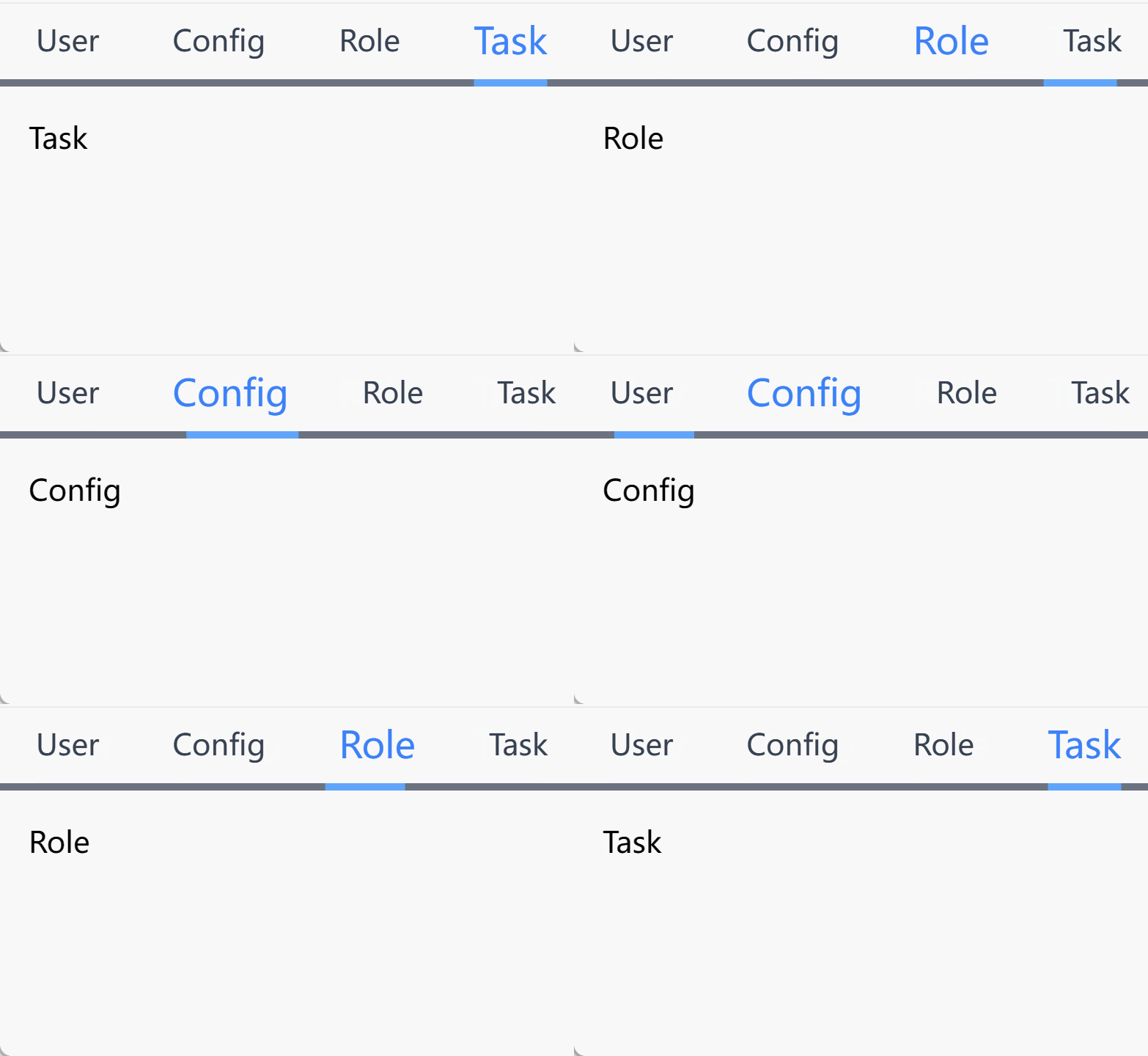
分析
- 该组件由2个组件构成一个是
Tabs一个是TabsPanel Tabs中需要获取所有TabsPanel的label和name并将它们渲染出来Tabs中的v-model需要控制TabsPanel的显示和隐藏
TIP
难点: 如何让 Tabs 和 TabsPanel 通信,以及如何让 TabsPanel 的显示和隐藏
可以通过 provide 和 inject 来管理通信, 我们使用 vue-use 中 createInjectionState
目录
通过vite创建一个 vue 项目,并创建一个 Tabs 组件,该组件包含一个 TabsPanel 组件
.
├─ app.vue
├─ components
│  ├─ tabs
      ├─hooks
        └─useTabs.ts
│     ├─ index.vue
│     └─ panel.vue
首先在 app.vue 中引入 Tabs 跟 TabsPanel 组件 然后编写 Tabs 组件和 TabsPanel 组件:
vue
<template>
  <Tabs v-model="activeName">
    <TabsPanel label="User" name="User">User</TabsPanel>
    <TabsPanel label="Config" name="Config">Config</TabsPanel>
    <TabsPanel label="Role" name="Role">Role</TabsPanel>
    <TabsPanel label="Task" name="Task">Task</TabsPanel>
  </Tabs>
</template>

<script setup lang="ts">
const activeName = ref('Task')
</script>
vue
<template>
  <div>
    <div flex="~"  h-40px>
      <div v-for="item, i in tabs" :key="item.name" flex="~" items-center h-full px-20px cursor-pointer
        :class="tabTitleclass(i)"  @click="tabClick(i)">
       <div ref="tabsDom">
        {{ item.label }}
       </div>
      </div>
    </div>
    <div bg-gray-500 mt-1px>
      <div h-1 bg-blue transition-all :style="tabActiveStyle"></div>
    </div>
    <slot></slot>
  </div>
</template>

<script setup lang="ts">
import type { StyleValue } from 'vue';
import { useCounterStoreWithDefaultValue, type InitialValue } from './hooks/useTabs';

/*
  当前active小方块的宽度跟位置
*/
const dom = ref({
  w: '0px',
  l: '0px',
})
/* 获取model v-model="activeName" */
const model = defineModel<InitialValue>()
/*
  为了获取每个tabTitle的宽以及位置
*/
const tabsDom = ref<Array<HTMLElement>>()
/*
传入model.value=Task
来默认选中name=Task的tab
 */
const { tabs, changeTab, activeIndex } = useCounterStoreWithDefaultValue(model.value)
const tabClick = (i: number) => {
  changeTab(i)
}
/*
  所选的tabTitle的class
*/
const tabTitleclass = (index: number) => {
  return activeIndex.value === index ? 'text-blue-500 text-xl' : 'text-gray-700'
}
/*
  根据所选的tabTitle 来动态改变active的小方块的宽度跟位置
*/
const tabActiveStyle = computed<StyleValue>(() => {
  return { transform: `translateX(${dom.value.l})`, width: `${dom.value.w}` }
})

/*
监听activeIndex,当他改变的时候
dom渲染完成以后,
重新获取每个tabTitle的宽以及位置,
*/
watch(activeIndex, () => {
  nextTick(() => {
    if (tabsDom.value) {
      const _tabDom = tabsDom.value?.[activeIndex.value]
      console.log(_tabDom.style.width);

      const _dom = dom.value
      _dom.l = _tabDom.offsetLeft + 'px'
      _dom.w = _tabDom.clientWidth + 'px'
    }
  })
})

</script>
vue
<template>
<!-- 判断所选的TAB是否等于当前的props.name -->
  <div v-show="activeTab.name === name"  p-4>
    <slot />
  </div>
</template>

<script setup lang="ts">
import { useCounterStoreOrThrow } from './hooks/useTabs';
const props = defineProps<{
  label: string,
  name: string
}>()
/* 结构出addTab,跟activeTab */
const { addTab, activeTab } = useCounterStoreOrThrow()
/* 每次创建tab的时候把每个tab添加到全局的tabs中 */
addTab(props)
</script>
ts
export type Tab = {
  label: string,
  name: string
}
export type Tabs = Array<Tab>

export type InitialValue = string | undefined

const [useProvideTabsStore, useTabsStore] = createInjectionState((initialValue: InitialValue) => {
  // state
  const tabs = ref<Tabs>([]) //注入的tabs列表
  const activeIndex = ref<number>(0) //所选择的index 默认是0
  /*
    添加tab
  */
  const addTab = (tab: Tab) => {
    tabs.value.push(tab)
    //如果添加的tab的name等于初始值,则将activeIndex设置为tabs的最后一个
    tab.name === initialValue ?
      activeIndex.value = tabs.value.length - 1 : 0

  }
  //改变tabs的index
  const changeTab = (index: number) => {
    activeIndex.value = index
  }
  /*
    getter
    返回所选的tab
  */
  const activeTab = computed(() => tabs.value[activeIndex.value])

  return {
    tabs,
    addTab,
    changeTab,
    activeIndex,
    activeTab
  }
})

export function useCounterStoreWithDefaultValue(initialValue: InitialValue) {
  return useProvideTabsStore(initialValue) ?? {
    tabs: [],
    addTab: () => { },
    changeTab:()=>{},
    activeIndex:0,
    activeTab:{}
  }
}

export function useCounterStoreOrThrow() {
  const counterStore = useTabsStore()
  if (counterStore == null)
    throw new Error('Please call `counterStore` on the appropriate parent component')
  return counterStore
}